


Complete music editor that offers professional results
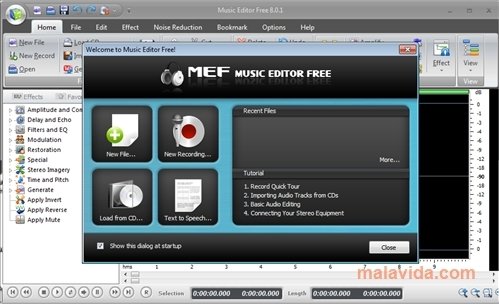
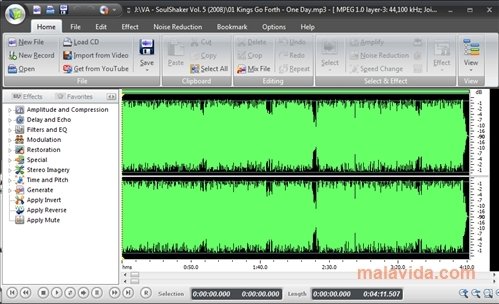
The interface of Microsoft Office 2007, the renowned Ribbon, has been implemented in Music Editor Free to create an audio editor application that is really simple, but that offers professional results.
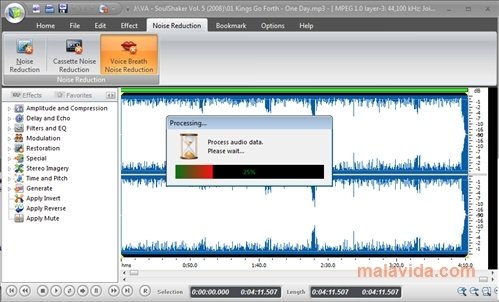
Music Editor Free is capable of handling among others the MP3, WMA and OGG formats to edit any aspect of the audio files. This can range from touching up the frequencies, to cutting and pasting file parts, or including fade in or fade out, deleting noise,...
A great music editor, ideal for professionals
Logically, our creations can be burnt directly to a CD as a WAV, MP3, WMA, OGG, WMV or ASF, it also has support to record audio from a microphone. Thus, we will be able to modify any song or audio file as soon as we have it in our computer.
Furthermore, once we have some practice, we'll be able to use the keyboard shortcuts, with which we can do anything, ranging from the Select All option to edit the ID3Tag (the audio files properties, where we store the information about the artist, album or the year it was recorded).
A fundamental element of Music Editor Free is its sidebar, because it's highly customizable and as soon as we have the functions we use more often, working with Music Editor Free will be much easier and more fluid.
If we think that Music Editor Free isn't enough for what we want, we'll always have the possibility to update to the Professional version, where we will have access to other functions like Batch Converter and File Merger.
 Leticia Sorivella
My name is Leticia. I really like movies, television, and music. That is why I studied Audiovisual Communication. In the beginning, I wanted to work in movies, but I ended up on television. Then, I went from being behind the cameras to being in...

Antony Peel